
The following article is intended for Nexus administrators. Your view may not reflect the following content if you have not been assigned an Admin role.
Description
Users can be invited to your tenant by your Nexus administrator.
Steps
Inviting users to your tenant
-
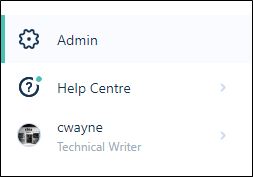
On the Navigation menu, click Admin to open the Administration window
-
Click the Users tab
-
Click Invite users above the list of users

- Enter the email addresses of the users you wish to invite. To invite multiple users, email addresses can be separated by commas
- Specify a role for the new user. This can be changed after they have been invited.
Role Description User Manage the tasks, files, and attributes that you own and work with the tasks and files that are assigned to you.
Admin Setup user accounts and groups, apply permissions, define tasks, file types, attributes, and tasks.
Guest Invite any external user to use Nexus for a limited period of time with Read Only permission on invitation. Guest users can be provided with permissions to Workspace and Projects when activated.
- Finally, click Send to send the invitation to the email recipients you have specified
Adding and removing groups for a user
The following steps show how you can add and remove groups at the user level. This can also be done at the group level.
- On the Navigation menu, click Admin
- Click the Users tab
- Click on the ellipsis at the far right of a user row, select Manage groups

- Click the + symbol on a corresponding group that you would like to add to the user. You can click the trash symbol to remove a user from the group
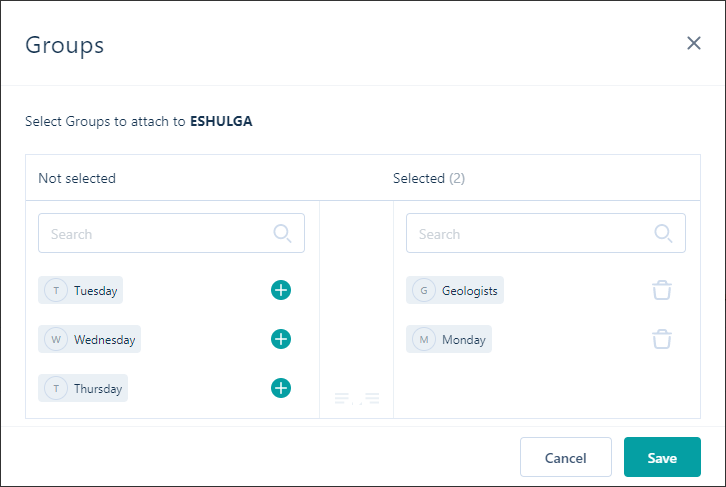
- Click Save to apply your changes
Comments
0 comments
Please sign in to leave a comment.